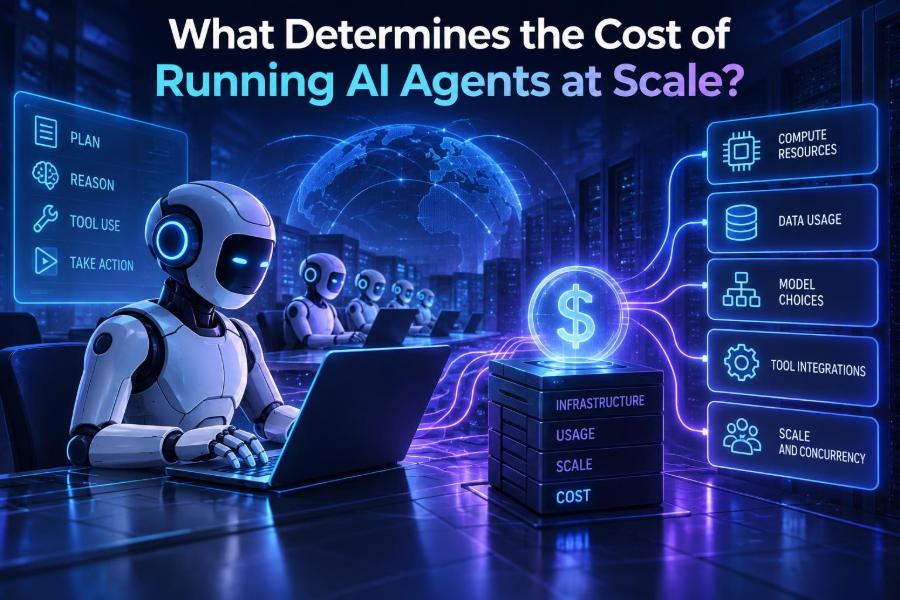

AI agents are moving from impressive demos to systems that handle support requests, research documents, update records, write code, and coordinate business workflows. That shift changes the financial question from “What does one prompt cost?” to “What does a completed task cost, reliably, thousands of times?”
An agent is rarely a single model call. It may search for information, retrieve files, call a tool, ask a model to plan, retry after an error, and ask another model to review the result. Each step can add tokens, latency, infrastructure work, and operational risk.
Costs can stay small while traffic is low, then rise unexpectedly when agents become more capable or autonomous. A long conversation, an unnecessary web search, or a retry loop can multiply spending faster than a simple per-request estimate suggests.
After reading, you will be able to map an agent’s cost drivers, estimate task-level spend, choose the right model and architecture, add budgets and observability, and reduce costs without blindly degrading quality.
🧭 1. Start With the Right Unit: Cost per Successful Outcome
The most useful metric is not cost per token or even cost per API call. It is cost per successful completed task: the full cost required to produce an acceptable outcome.
For a support agent, that might mean one correctly resolved ticket. For a coding agent, it might mean one accepted pull request. For a research agent, it might mean one cited brief that passes editorial review.
cost_per_success = total_agent_cost / accepted_completed_tasksThis calculation includes failed attempts. If an agent costs little per attempt but only succeeds half the time, human correction and retries can make it far more expensive than a stronger system.
- Define what “successful” means before optimizing.
- Record whether a human accepted, corrected, escalated, or rejected the result.
- Measure outcomes by task type, not just as a global average.
🧮 2. Separate the Four Major Cost Buckets
Most production agent spending falls into four buckets: model inference, tools and data, infrastructure, and people. Teams often track the first bucket and underestimate the rest.
| Cost bucket | What it includes | Common surprise |
|---|---|---|
| Model inference | Input, output, cached context, reasoning, embeddings | Repeated history and verbose outputs |
| Tools and data | Search, databases, APIs, document parsing, browser actions | Multiple tool calls per task |
| Infrastructure | Compute, queues, storage, logs, monitoring, networking | Idle workers and oversized trace storage |
| People and operations | Evaluation, reviews, support, incident response, labeling | Low-quality automation creating rework |
Build a cost ledger that assigns every expense to one of these categories. This prevents a misleading conclusion such as “the model is expensive” when the actual issue is a browser automation loop or a manual review queue.
🔤 3. Understand Tokens, Context, and Output Length
Language models process text in units called tokens. Input tokens are what you send, while output tokens are what the model generates. Provider pricing, capabilities, context limits, and caching policies vary, so check the official documentation for current details.
Input cost grows with instructions, conversation history, retrieved documents, tool definitions, and tool results. Output cost grows with plans, explanations, structured responses, and unnecessarily long final answers.
Input to an agent call might include:
- system instructions
- user request
- prior conversation turns
- tool schemas
- retrieved policy excerpts
- tool outputs from earlier steps

Output might include:
- a plan
- a tool-call request
- an explanation
- structured JSON
- a final response
A 200-word user question can turn into a large request after an orchestration layer appends every available instruction and document. Inspect the actual serialized request, not merely the text visible in your chat interface.
📚 4. Treat Context Growth as a Compounding Cost
Agent conversations and loops tend to accumulate context. Every new turn can carry forward old turns, tool results, and retrieved material, making later calls larger and more expensive.
This is particularly important for long-running agents that plan across many steps. If each call contains the complete transcript, total input volume may grow much faster than the number of turns.
- Keep a short, durable task state instead of replaying every message.
- Summarize completed work into facts, decisions, and unresolved questions.
- Store large artifacts externally and retrieve only relevant passages.
- Remove tool output that no longer affects the next decision.
Compact state example:

Goal: refund eligible order
Known facts: order delivered 3 days ago; customer verified
Policy: refunds allowed within 30 days
Completed: found order, checked eligibility
Next action: submit refund request
Do not repeat: order lookup
A good summary is not a vague paragraph. It is a compact working memory that preserves the facts needed for the next action.
🧠 5. Match Model Capability to the Step, Not the Product
Many agent systems use one capable model for everything: classification, planning, extraction, drafting, and verification. That is simple to launch but often expensive at scale.
Instead, assign a model tier according to the risk and reasoning required by each step. A deterministic parser or smaller model can often handle routing and extraction, while difficult planning or ambiguous judgment goes to a stronger model.
| Step | Typical fit | Why |
|---|---|---|
| Intent routing | Rules, classifier, or smaller model | Limited output space |
| Field extraction | Structured model call | Schema can constrain output |
| Complex diagnosis | More capable reasoning model | Needs synthesis and judgment |
| Final style cleanup | Smaller model or templates | Usually low risk |
| High-risk approval | Human review or strict workflow | Cost of an error is high |
Do not assume a smaller model is cheaper in practice. If it retries often, selects bad tools, or produces outputs that need human repair, its cost per successful outcome can be worse.
🪜 6. Use Model Routing With Clear Escalation Rules
Model routing sends easy tasks to an economical path and escalates uncertain or high-stakes tasks. The key is to make escalation observable and deliberate rather than relying on a model to declare uncertainty in prose.
- Classify the request by task type and risk.
- Attempt a bounded low-cost path.
- Validate output against a schema and business rules.
- Escalate only if validation fails or complexity signals appear.
- Record the escalation reason for later analysis.
if request_type in ["status_lookup", "faq"]:
    result = run_economy_path(request)
    if result.valid and result.confidence >= 0.85:
        return result

return run_capable_path(request)
Confidence alone is not enough. A system can be confidently wrong. Pair it with checks such as required fields, source availability, policy constraints, and consistency with known records.
🛠️ 7. Count Tool Calls, Because Agents Multiply Them
Tools let agents access databases, search systems, code runners, browsers, messaging services, and internal APIs. They also create a major source of variable cost and failure.
One user request may cause several model calls around every tool action: deciding to call the tool, interpreting its response, recovering from an error, and verifying the result. A tool that returns a huge payload also increases the next model input.
Common inefficient loop:
model decides to search
search returns 20 long documents
model reads all results
model searches again with a similar query
model calls a detail endpoint for each result
model summarizes everything
Design tools to return compact, task-specific data. Prefer an endpoint that returns the customer’s relevant order fields over one that dumps a full account record.
- Set a maximum number of calls per tool and per task.
- Use filters, pagination, and narrow fields at the API level.
- Cache stable results with explicit expiration rules.
- Track tool errors separately from model errors.
🔁 8. Put Hard Bounds on Agent Loops and Retries
Autonomy is valuable, but unbounded autonomy creates unpredictable cost. An agent can repeat a failed action, search indefinitely, or bounce between planner and executor without making progress.
Every agent should have a step budget, a time budget, a token budget, and a tool-call budget. Reaching a limit should cause a safe fallback, escalation, or partial-result response.
limits = {
  "max_steps": 8,
  "max_tool_calls": 5,
  "max_retries_per_tool": 2,
  "max_runtime_seconds": 45,
  "max_output_tokens": 900
}

if budget_exhausted(limits):
    return escalate("Unable to complete safely within task budget")
Common mistake: retrying every failure identically. Retry only transient failures, such as a temporary network error. For invalid input, missing authorization, or repeated empty search results, change strategy or stop.
🗂️ 9. Design Retrieval So You Pay for Relevant Knowledge
Retrieval-augmented generation can reduce hallucinations by supplying grounded material. But retrieval is not free: creating embeddings, searching an index, reranking candidates, and passing retrieved text into the model all add cost.
The expensive mistake is retrieving too much. Sending ten full documents “just in case” makes the model slower, pricier, and sometimes less accurate because relevant facts are buried in noise.
- Split documents into meaningful chunks with titles and metadata.
- Filter by tenant, permission, product, date, or document type first.
- Retrieve a small candidate set.
- Rerank only when the task justifies it.
- Pass short excerpts and source identifiers to the model.
Retrieve for: "Can a customer return a used item?"
Filters: product_policy, region=US, current=true
Pass to model: 3 short policy excerpts, not the full handbook
Evaluate retrieval independently. If the correct source is absent, a more expensive model will not reliably fix the problem.
🧹 10. Reduce Prompt Bloat Without Removing Essential Guardrails
System prompts frequently grow into long policy documents containing duplicated instructions, examples, tool manuals, and edge cases. This inflates every call and can make instructions harder for the model to follow.
Audit prompts like production code. Keep stable identity, safety requirements, output contract, and key decision rules. Move detailed reference material into retrieval or a targeted tool.
Instead of:
"Here are 40 pages of every product policy..."

Use:
"Answer only from approved policy excerpts. If an excerpt is missing,
call policy_search. Return: decision, rule_id, short explanation."- Remove repeated rules and conflicting language.
- Use compact examples only where they measurably improve behavior.
- Supply tool guidance when the tool is available, not in every unrelated flow.
- Version prompts and test changes against a fixed evaluation set.
Do not optimize prompts solely for token count. A short instruction that produces errors can be more expensive than a slightly longer one that prevents retries.
📦 11. Constrain Outputs and Use Structured Responses
Long outputs cost money and create downstream parsing work. When an agent needs to choose an action or extract fields, request a strict schema rather than an essay.
{
  "action": "refund | ask_for_info | escalate",
  "order_id": "string or null",
  "reason_code": "string",
  "customer_message": "maximum 60 words"
}
Validate structured output before taking action. If validation fails, use a repair path with the validation error, then limit repairs to a small number of attempts.
For user-facing content, set explicit length limits and tell the system what details to include. “Be concise” is subjective; “use three bullets and no more than 90 words” is measurable.
⚙️ 12. Choose the Right Agent Architecture
Not every workflow needs a free-form agent. A fixed workflow with one decision point is usually easier to test, cheaper to operate, and safer than an open-ended planner.
| Architecture | Best for | Cost behavior |
|---|---|---|
| Single model call | Drafting, extraction, classification | Most predictable |
| Deterministic workflow | Known business processes | Bounded by defined steps |
| Router plus specialists | Several distinct task types | Efficient when routing is accurate |
| Planner and tools | Variable multi-step work | Higher variance; needs budgets |
| Multi-agent system | Genuinely separable expert roles | Can multiply calls and coordination |
Multi-agent designs are especially easy to overuse. A planner, researcher, writer, critic, and supervisor may sound sophisticated, but each handoff adds context, inference, and failure modes. Begin with the fewest components that meet your quality target.
📊 13. Build Cost Observability Into Every Run
You cannot manage an agent fleet with monthly invoices alone. Capture a trace for each run and associate cost with the customer, task, workflow version, model path, tools, and final outcome.
A useful trace records tokens, latency, cache status, tool calls, retry count, retrieved chunk count, errors, and human review. Avoid logging sensitive raw content unless your retention and access controls permit it.
trace = {
  "run_id": "...",
  "task_type": "support_refund",
  "workflow_version": "...",
  "steps": 4,
  "input_tokens": 0,
  "output_tokens": 0,
  "tool_calls": 2,
  "retrieved_chunks": 3,
  "accepted": true,
  "estimated_cost": 0.0
}
Dashboards should show median and high-percentile cost, not only averages. A small number of runaway tasks can dominate your bill while disappearing in the mean.
📐 14. Estimate Spend Before You Launch
Create a scenario model using expected volume and an intentionally conservative task profile. Include normal, busy, and failure-heavy cases.
monthly_cost = monthly_tasks * (
  model_cost_per_task +
  tool_cost_per_task +
  infrastructure_cost_per_task +
  review_cost_per_task
)

model_cost_per_task = sum(cost_of_each_model_call)
review_cost_per_task = review_rate * cost_per_review
For each workflow, estimate the number of calls, average input and output size, retrieval rate, tool rate, retry rate, and escalation rate. Then test a “bad day” scenario with longer context, more tool failures, and elevated traffic.
- Estimate by task category rather than one blended average.
- Include free-tier limits, minimum commitments, and egress where applicable.
- Model concurrency because it affects infrastructure sizing.
- Refresh assumptions when prompts, models, or tools change.
🧪 15. Optimize Against Quality, Not a Token Target
A cost reduction is only useful if task quality remains acceptable. Treat quality and cost as a joint optimization problem.
Build an evaluation set from real, permissioned examples and difficult edge cases. Score correctness, completeness, policy adherence, tool selection, user satisfaction, and whether the agent took an unauthorized action.
- Establish a baseline workflow and its cost per successful outcome.
- Change one variable, such as retrieval count or output limit.
- Run the same evaluation set.
- Compare quality, latency, and cost distributions.
- Roll out gradually and watch live outcomes.
Common mistake: comparing models only on a polished test prompt. Production behavior includes malformed requests, stale records, ambiguous language, unavailable tools, and adversarial inputs.
🧯 16. Account for Failures, Fallbacks, and Human Handoffs
Failures are not exceptional at scale; they are part of the unit economics. A model may produce invalid output, a tool may time out, a customer record may be unavailable, or a request may require a person.
Design useful fallbacks. A safe response that gathers missing information or routes to the right queue can cost less and protect trust better than three more speculative agent attempts.
- Classify errors as transient, input-related, permission-related, or logic-related.
- Use a different retry strategy for each error class.
- Send a compact case summary to a human, not the full transcript.
- Feed corrected outcomes back into evaluations and workflow improvements.
Human review is not necessarily a failure of automation. For high-impact decisions, it can be the cost-effective control that prevents expensive mistakes.
🔒 17. Include Privacy, Security, and Responsible-Use Costs
Cost optimization must not lead to excessive data collection or weak controls. Sending entire customer histories, source repositories, or private documents to every model call is expensive and can violate internal policy or legal obligations.
Apply data minimization: send only the fields and excerpts necessary for the task. Redact or tokenize sensitive values where possible, enforce tenant boundaries in retrieval, and give tools the least privilege needed.
- Do not expose credentials, secrets, or unrestricted tool access in prompts.
- Require approval gates for payments, deletion, external messages, and privileged changes.
- Set retention limits for traces, prompts, and tool payloads.
- Audit data handling and vendor settings with security and legal teams.
A cheap agent that leaks data or makes an irreversible action is not economical. Responsible design lowers both risk and long-term operational cost.
🚦 18. Set Budgets, Alerts, and Circuit Breakers
Budget controls turn cost management from a reporting exercise into a runtime capability. Set limits at several levels: a single run, a user, a tenant, a workflow, and the whole system.
if tenant_monthly_spend > tenant_budget:
    route_to_limited_mode()

if run_cost > run_budget or run_steps > step_budget:
    stop_and_escalate()

if tool_error_rate > error_threshold:
    disable_tool_and_use_safe_fallback()
Use alerts for abrupt changes in token volume, retries, tool calls, failure rate, and cost per success. A sudden increase often follows a prompt deployment, retrieval change, upstream API problem, or unusual request pattern.
Limited mode can mean shorter answers, a less autonomous workflow, cached information, delayed batch processing, or human routing. Decide these policies before an incident occurs.
✅ 19. Quick-Start Checklist
- Define success: choose a measurable outcome for every important task.
- Trace every run: capture model, tokens, tools, retries, latency, outcome, and estimated cost.
- Bound autonomy: enforce step, time, token, and tool-call limits.
- Trim context: summarize state and retrieve only relevant evidence.
- Route intelligently: reserve stronger models for work that needs them.
- Constrain outputs: use schemas, length limits, and validation.
- Test changes: compare quality, safety, latency, and cost on a representative evaluation set.
- Plan fallbacks: stop safely, escalate intelligently, and learn from corrections.
- Protect data: minimize sensitive context and restrict tool permissions.
- Watch distributions: investigate expensive outliers, not just average spend.
The cost of running AI agents at scale is determined less by one model call than by the quality of your workflow design, controls, and measurement. Build agents that know when to act, when to stop, and when to ask for help. 🤖📈🔒