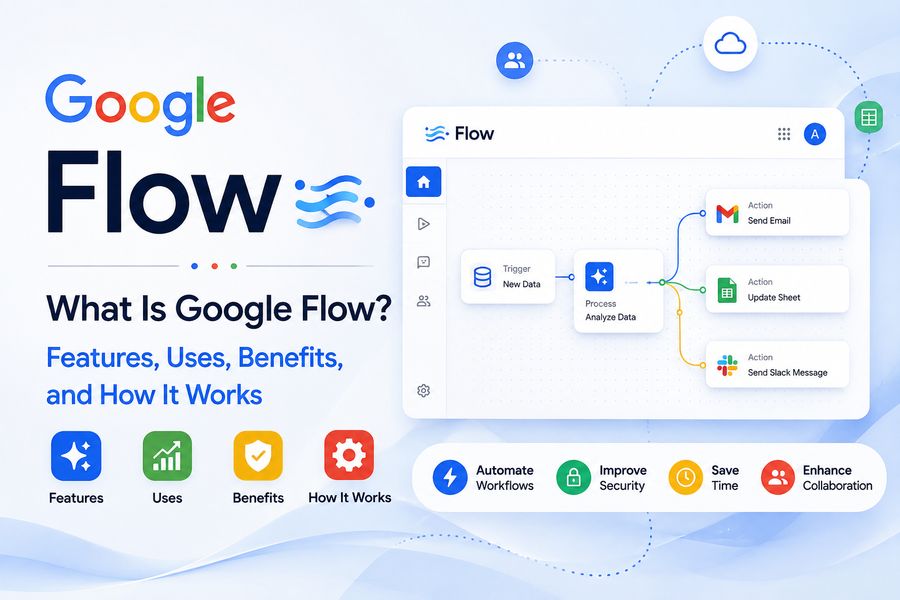

Artificial intelligence is rapidly changing the way videos, advertisements, short films, and visual stories are created. One of the tools helping push AI-assisted filmmaking forward is Google Flow. 🎥✨
Google Flow is an AI-powered creative filmmaking environment developed by Google to help users generate, organize, and build video scenes with generative AI. Instead of relying entirely on traditional cameras, actors, locations, and editing software, creators can describe ideas using text, reference visual elements, and use AI models to transform those ideas into cinematic video clips.
Flow brings together Google’s generative AI technologies for video, images, and language in an interface designed around visual storytelling. It can be useful for filmmakers, marketers, designers, content creators, educators, and creative professionals who want to experiment with AI-generated video.
So, what exactly is Google Flow, how does it work, and what can you create with it? Let’s explore. 🚀
🤖 What Is Google Flow?
Google Flow is an AI filmmaking and video creation tool designed to help users generate cinematic scenes using artificial intelligence.
Users can describe characters, environments, actions, camera movements, and visual styles through prompts. AI then interprets those instructions and generates video content based on the requested scene.
Rather than functioning only as a simple text-to-video generator, Flow is designed around the broader filmmaking process. Users can create individual shots, experiment with different versions, reuse visual elements, and arrange generated clips into larger scenes.
Google combines several of its AI technologies within the Flow experience, including capabilities associated with its Veo video-generation models, Imagen image-generation technology, and Gemini AI models.
The goal is to make sophisticated visual storytelling accessible without requiring every idea to begin with traditional production equipment. 🎞️
⚙️ How Does Google Flow Work?
Google Flow uses generative artificial intelligence to interpret creative instructions and turn them into visual content.
A creator might enter a prompt such as:
“A futuristic electric motorcycle traveling through a rainy neon city at night, cinematic lighting, tracking camera shot.”
The AI analyzes different parts of the instruction, including:
- 🏙️ Environment
- 🏍️ Subject
- 🌧️ Weather
- 💡 Lighting
- 🎥 Camera movement
- 🎨 Visual style
It then generates a video scene that attempts to match those instructions.
Creators can refine prompts, change visual details, experiment with framing, and generate alternative versions until they obtain a result closer to their creative vision.
This iterative process makes Flow particularly useful during concept development and pre-production.
🎥 Key Features of Google Flow
Google Flow includes several capabilities designed specifically for AI-assisted storytelling and filmmaking.
📝 1. Text-to-Video Generation
One of Flow’s most important capabilities is generating video from natural-language descriptions.
Instead of manually filming a scene, users can describe what they want the AI to create.
For example:
“A small wooden cabin surrounded by snow-covered mountains at sunrise, smoke coming from the chimney, slow cinematic camera movement.”
Flow can use those instructions to generate a corresponding visual sequence. 🌄
This capability can be useful for:
- Concept videos
- Story prototypes
- Advertisement ideas
- Social media content
- Film previsualization
- Creative experimentation
🖼️ 2. Visual Ingredients and References
Maintaining consistency is one of the biggest challenges with AI-generated video.
Flow allows creators to work with visual “ingredients” or reference elements that can help guide what appears in generated scenes.
These might include:
- 👤 Characters
- 🚗 Objects
- 🏠 Locations
- 👕 Clothing
- 🎨 Specific visual designs
A creator could establish the appearance of a particular character or object and then attempt to use that visual element across different scenes.
This is especially helpful when creating a story involving recurring subjects.
🎞️ 3. Scene Building
Creating a useful video often requires more than producing a single AI clip.
Flow includes tools intended to help users develop and arrange scenes.
Creators can experiment with different shots and extend ideas into longer visual sequences rather than treating every generated clip as a completely isolated project.
For example, a filmmaker creating a science-fiction scene might generate:
- An exterior shot of a spacecraft 🚀
- A close-up of the pilot 👨🚀
- A view through the cockpit window 🌌
- A landing sequence on another planet 🪐
Those shots can then become part of a broader visual narrative.
🎥 4. Camera Controls
Camera language is extremely important in filmmaking.
Different camera movements can completely change how viewers experience a scene.
Depending on the available generation controls, creators can guide elements such as:
- Camera movement
- Framing
- Perspective
- Shot composition
- Cinematic positioning
A dramatic low-angle shot, for example, creates a very different feeling from an overhead aerial view.
AI filmmaking tools that provide greater camera control can therefore give creators more influence over the visual result. 🎬
🧠 5. Natural-Language Prompting
One major advantage of modern generative AI tools is that users do not necessarily need programming knowledge.
Google Flow is centered around describing creative ideas using everyday language.
Instead of writing code, a creator can describe:
- What should happen
- Where the scene takes place
- How characters should behave
- What the lighting should look like
- What type of camera shot is required
- What atmosphere the scene should create
Better prompts can often produce more useful results.
🎨 What Can You Create With Google Flow?
Google Flow can support many types of visual projects.
🎬 Short Films
Independent filmmakers can experiment with scenes before committing to expensive production.
AI-generated footage may also help visualize ideas that would otherwise require elaborate sets, costumes, or visual effects.
📢 Advertising Concepts
Marketing teams can quickly create visual concepts for products, campaigns, and commercials.
Instead of producing a complete advertisement just to demonstrate an idea, teams can create AI-generated prototypes.
📱 Social Media Videos
Creators producing frequent social media content can use generative video tools to experiment with unusual locations, fantasy scenes, stylized visuals, and cinematic sequences.
🎮 Game Development
Game designers may use AI video generation for concept visualization, environment ideas, characters, promotional materials, or cinematic inspiration.
📚 Education
Teachers and educational content creators can generate visual scenes that help illustrate historical periods, scientific concepts, fictional scenarios, or difficult-to-film environments.
🧩 Storyboarding and Previsualization
One particularly useful application is previsualization.
Before filming an expensive scene, directors can create rough AI-generated versions to explore camera angles, lighting, movement, and composition.
This can make planning more efficient. 🎥
✅ Advantages of Google Flow
AI filmmaking tools such as Google Flow can provide several benefits.
⚡ Faster Concept Development
Traditionally, visualizing a complex filmmaking idea may require designers, storyboard artists, locations, equipment, and editing.
AI can dramatically shorten the process of creating an early visual concept.
💡 Easy Creative Experimentation
Creators can test ideas rapidly.
A user might generate the same scene as:
- A realistic film
- An animated sequence
- A futuristic environment
- A vintage movie
- A dramatic commercial
Experimentation becomes much easier when producing an alternative does not require reshooting an entire scene.
💰 Potentially Lower Prototyping Costs
Professional video production can be expensive.
AI generation cannot replace every element of traditional production, but it can reduce the cost of certain early-stage creative tasks such as visual exploration and concept development.
🌍 Create Difficult Locations
AI makes it possible to visualize environments that would be expensive or impossible to film traditionally.
Examples might include:
- 🪐 Alien planets
- 🏰 Fantasy kingdoms
- 🌋 Active volcanic landscapes
- 🌊 Underwater cities
- 🚀 Futuristic space stations
⚠️ Limitations of Google Flow and AI Video
AI-generated video also comes with important limitations.
🎭 Character Consistency
Keeping exactly the same face, clothing, movement, and proportions across many independent generations can still be challenging.
Reference-based workflows can improve consistency, but creators may still need multiple generations and careful selection.
🧩 Unexpected Results
Generative AI does not always interpret prompts exactly as intended.
Objects may behave strangely, physical movements may appear unrealistic, or background details may change unexpectedly.
🎥 Limited Directorial Precision
Traditional filmmaking gives directors extremely precise control over actors, lighting, cameras, sets, and timing.
AI tools may provide useful creative controls, but they do not always provide the same frame-by-frame predictability.
⚖️ Copyright and Ethical Questions
AI-generated media introduces important questions surrounding copyrighted material, likeness rights, disclosure, misinformation, and responsible use.
Professional creators should carefully consider ownership rights, platform policies, commercial-use terms, and permission when working with recognizable individuals or protected creative assets.
🆚 Google Flow vs. Traditional Video Editing Software
Google Flow should not necessarily be viewed as a complete replacement for conventional video-editing applications.
Traditional editing software primarily works with footage that already exists.
Users typically import recorded clips and then:
- Cut footage
- Adjust audio
- Add effects
- Correct color
- Insert graphics
- Arrange scenes
Flow begins earlier in the creative process by helping generate visual footage itself.
A realistic modern workflow may therefore combine both technologies.
For example:
Idea → AI scene generation → Clip selection → Traditional editing → Audio → Color correction → Final video
AI generation and conventional editing can complement each other rather than competing directly. 🎬
👥 Who Can Benefit From Google Flow?
Google Flow may be particularly useful for:
- 🎥 Filmmakers
- 📱 YouTube and social media creators
- 📢 Marketing professionals
- 🎨 Designers
- 📝 Writers
- 🎮 Game developers
- 🧑🏫 Educators
- 🏢 Creative agencies
- 💼 Small businesses
- 🎞️ Storyboard and concept artists
Beginners can use it to experiment with storytelling, while experienced creative professionals may use it for rapid prototyping, previsualization, and idea development.
📝 Tips for Writing Better Google Flow Prompts
The quality of AI-generated footage depends partly on how clearly the requested scene is described.
A strong video prompt can include:
Subject + Action + Environment + Lighting + Camera + Mood + Style
For example:
“A lone astronaut walking across a red desert at sunset, distant mountains covered in dust, cinematic golden lighting, slow tracking shot, realistic science-fiction film style.” 🚀
This provides much more creative guidance than simply writing:
“Astronaut on Mars.”
Be descriptive without making the prompt unnecessarily confusing.
🔮 Is AI the Future of Filmmaking?
AI is unlikely to eliminate the need for human creativity.
Instead, tools such as Google Flow are changing how creative ideas can be visualized and developed.
Directors still need storytelling skills. Writers still need compelling ideas. Editors still need judgment. Designers still need visual understanding.
AI primarily provides another set of creative tools.
In the future, filmmakers may increasingly combine:
- Real footage 🎥
- AI-generated footage 🤖
- Computer-generated imagery 🖥️
- Virtual production 🌐
- Traditional editing ✂️
- Human performances 🎭
The result could be an increasingly flexible filmmaking process where creators can move from an idea to a visual prototype much faster.
❓ Frequently Asked Questions About Google Flow
What is Google Flow used for?
Google Flow is designed for AI-assisted filmmaking and visual storytelling. It can help users generate video scenes, experiment with cinematic ideas, develop visual concepts, and create content using generative AI.
Is Google Flow a video editor?
Flow is primarily focused on AI video creation and scene development rather than replacing every feature found in conventional professional video-editing software.
Can Google Flow create videos from text?
Yes. Text-based prompting is one of the core concepts behind generative video creation. Users can describe scenes, subjects, actions, environments, and cinematic styles for the AI to generate.
Can beginners use Google Flow?
Yes. Natural-language prompting can make generative filmmaking accessible to users without advanced animation or visual-effects experience. However, learning prompt techniques and filmmaking fundamentals can significantly improve results.
Can Google Flow replace filmmakers?
AI can automate or accelerate some parts of video production, but storytelling, creative direction, emotional judgment, editing decisions, and artistic vision remain strongly dependent on human creators.
🎯 Conclusion
Google Flow represents an important development in AI-assisted filmmaking. 🎬🤖 By combining generative video, visual references, natural-language instructions, and cinematic creation tools, it allows creators to transform written ideas into moving visual scenes much faster than many traditional workflows.
Its greatest value may not simply be generating finished videos. Flow can also help filmmakers and creators visualize concepts, experiment with stories, prototype expensive scenes, test camera ideas, and explore creative possibilities before committing to full production.
AI-generated video still has limitations, particularly in consistency, precise control, and responsible use. However, the technology is improving rapidly and is becoming an increasingly important part of modern creative workflows.
For filmmakers, marketers, designers, educators, and digital creators, learning how tools such as Google Flow work may become a valuable skill as AI continues reshaping video production. 🌟🎥