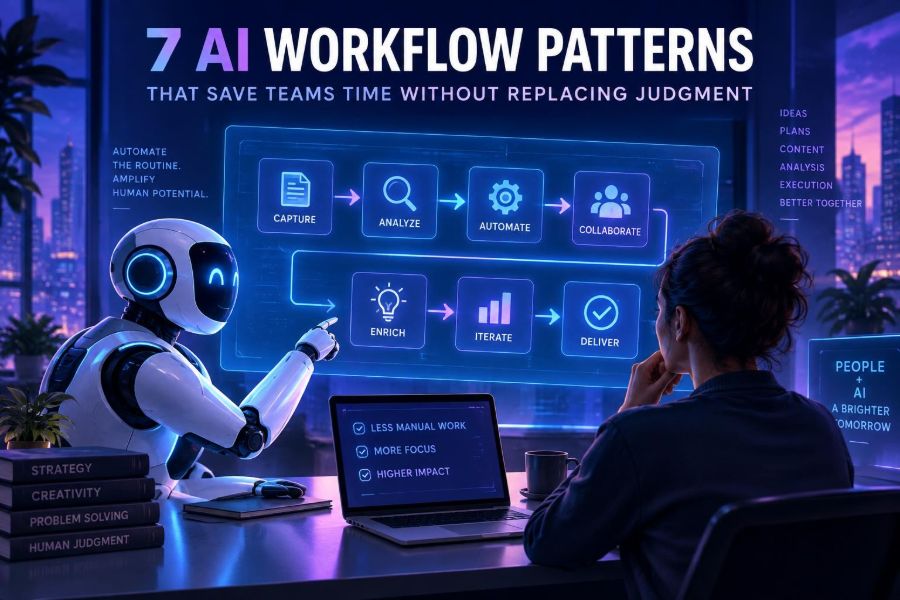

AI is becoming most useful at work not when it is asked to “do the job,” but when it removes the repetitive effort around the job. Teams still need people to set priorities, recognize exceptions, weigh trade-offs, and be accountable for decisions. The opportunity is to give those people better raw material, faster.
That distinction matters now because generative AI is easy to test but surprisingly easy to misuse. A fluent draft can conceal missing evidence. An automated recommendation can make a weak process move faster. The strongest workflows therefore treat AI as a structured assistant inside a human-owned system, not as a substitute for expertise.
This article presents seven reusable workflow patterns for research, support, operations, content, engineering, and internal knowledge work. Each pattern has a clear handoff point where human judgment remains essential.
By the end, you will be able to select a suitable pattern, map inputs and approvals, write prompts that produce reviewable output, connect tools safely, and measure whether a workflow actually saves time.
🧭 1. Start With Work, Not With a Model
A useful AI project begins with a recurring piece of work that has friction: slow preparation, too much copying between systems, inconsistent first drafts, or difficulty finding relevant information. Do not begin by asking which model is “best.” Begin by observing what a person does repeatedly.
Choose a task that is frequent enough to matter and bounded enough to test. A good first target is usually a 10- to 45-minute task that ends in a document, summary, classification, checklist, or draft rather than an irreversible action.
- Interview the people who perform the task.
- List the inputs, steps, tools, output, reviewer, and final decision.
- Mark steps that require copying, searching, formatting, or first-pass synthesis.
- Mark decisions involving money, safety, legal exposure, customer promises, or strategy.
- Automate or assist the first group; retain explicit human control over the second.
Practical rule: automate the preparation of judgment before attempting to automate judgment itself. A recruiter may use AI to organize interview notes, for example, but a qualified human should assess candidates and make the hiring decision.
🗺️ 2. Map the Human-in-the-Loop Boundary
Every workflow needs a boundary that answers two questions: what may AI produce, and what may it do? Producing a proposed response is different from sending it. Flagging a possible policy issue is different from blocking an account.
Write the boundary down before building. This prevents “automation creep,” where a draft tool gradually gains permission to act without a deliberate risk review.
| Workflow stage | Appropriate AI role | Human responsibility |
|---|---|---|
| Gather | Extract fields, retrieve sources, group notes | Confirm source scope and access rights |
| Interpret | Summarize, compare, identify possible gaps | Check evidence and context |
| Recommend | Offer options, draft next steps, rank by stated criteria | Choose, override, and document rationale |
| Act | Prepare a message, ticket, record, or code change | Approve sending, publishing, merging, or execution |
For low-risk internal work, review can happen at the end. For high-impact work, place review earlier: approve source data, approve a proposed action, and require a second check for unusual cases.
Common mistake: calling a human review step meaningful when reviewers only see a final answer without its source material. Reviewers need evidence, assumptions, and uncertainty—not just polished prose.
📝 3. Pattern One: Draft, Then Deliberate
The draft-and-deliberate pattern turns blank-page work into editing work. AI creates a clearly labeled first version; a person verifies facts, changes tone, adds local knowledge, and decides whether it is fit to use.
It works well for project updates, meeting agendas, job descriptions, customer replies, release notes, proposals, and internal announcements. It is less suitable for communications that must be correct without review.
- Provide approved source notes or structured facts.
- Ask for a draft with explicit sections and constraints.
- Require the model to list unknowns rather than invent details.
- Route the draft to a named owner.
- Capture recurring edits and improve the template.
Role: You are an operations communications assistant.
Task: Draft a project update from the notes below.
Rules:
- Use only facts in the notes.
- Separate confirmed facts from open questions.
- Keep the update under 180 words.
- Do not promise dates or outcomes not stated in the notes.
- End with “Owner review needed” followed by missing information.

Notes:
[PASTE APPROVED NOTES]
A simple but valuable instruction is “use only the supplied material.” It does not make the output automatically correct, but it makes review easier and reduces unsupported elaboration.
🔎 4. Pattern Two: Retrieve, Ground, Then Answer
When answers depend on company policies, product documentation, contracts, or a changing knowledge base, the model should not rely on general memory. Instead, retrieve relevant approved material, give it to the model, and require an answer grounded in that material.
This pattern is often called retrieval-augmented generation. Its value is not merely better answers; it is inspectable answers. A reviewer can see which documents were used and whether they support the claim.
- Collect approved documents and define an owner for each collection.
- Split long documents into meaningful sections with titles and metadata.
- Search for the most relevant sections when a user asks a question.
- Pass only those sections, plus the question, to the model.
- Show source titles or excerpts beside the response.
- Return “I do not have enough approved information” when retrieval is weak.
Answer the question using only the source excerpts.
For every factual claim, include the source title in brackets.
If the excerpts do not establish an answer, say exactly what is missing.
Do not infer policy from ordinary practice.

Question: [USER QUESTION]
Sources:
[TITLE + EXCERPT 1]
[TITLE + EXCERPT 2]
Common mistake: treating document search as a truth guarantee. Old, duplicated, or contradictory documents will still produce unreliable output. Knowledge stewardship remains a human process.
🧹 5. Pattern Three: Extract, Normalize, Then Review
Teams routinely receive semi-structured material: invoices, briefs, support emails, call transcripts, forms, research papers, and vendor documents. AI can extract candidate fields into a consistent structure so humans spend their time resolving exceptions instead of retyping obvious information.
The key word is candidate. Extraction should preserve the original text, identify confidence or ambiguity, and keep a link to the source record where possible.
Extract the following fields from the text as JSON:
- customer_name
- request_type
- due_date
- stated_budget
- blockers
- evidence_for_each_field

Rules:
- Use null when a field is absent or unclear.
- Do not convert relative dates unless a reference date is supplied.
- evidence_for_each_field must quote the exact supporting text.

Text:
[PASTE DOCUMENT]
Validate the result before inserting it into a system of record. For example, check that dates parse correctly, numbers are in expected ranges, required fields exist, and extracted categories match a controlled list.
required = ["customer_name", "request_type"]
missing = [field for field in required if not result.get(field)]

if missing:
    send_to_review(result, reason="Missing required fields")
elif result.get("stated_budget") and result["stated_budget"] < 0:
    send_to_review(result, reason="Invalid budget")
else:
    create_draft_record(result)
Do not silently turn a guessed value into official data. A draft record with a visible review state is safer than a fully automated update.
🧩 6. Pattern Four: Classify, Route, Then Escalate
Classification is one of the most dependable AI workflow uses when categories are clear. The system labels incoming work—such as support requests, security questionnaires, feedback, or internal requests—and routes it to the appropriate queue.
A good routing workflow distinguishes between routine cases and cases that require escalation. It does not force every item into a category merely because a category is available.
- Define a small, mutually understandable category set.
- Write examples and counterexamples for each category.
- Include an “uncertain” or “other” route.
- Set escalation rules using risk, not just confidence.
- Review samples from every category each week during rollout.
Classify this request into one label:
BILLING, TECHNICAL, ACCESS, FEATURE_REQUEST, SAFETY, OTHER.

Return:
1. label
2. confidence: high, medium, or low
3. two short evidence phrases from the request
4. escalation_needed: yes or no

Escalate when the request mentions account compromise, data exposure,
threats, regulated information, or a request to override policy.
Confidence labels are useful signals, but they are not calibrated measurements by default. Test them against real reviewed examples before relying on them for routing rules.
📊 7. Pattern Five: Summarize, Compare, Then Decide
Busy teams often need to make sense of multiple inputs: interview feedback, sales calls, incident notes, research responses, project status reports, or competing vendor proposals. AI can create a decision brief that exposes patterns and disagreement without pretending to make the decision.
Ask for a structured comparison rather than a vague summary. A decision-maker should be able to see evidence, alternatives, assumptions, risks, and questions in a few minutes.
Create a decision brief from the attached inputs.

Include these sections:
- Decision to make
- Shared evidence
- Areas of disagreement
- Options with benefits and risks
- Assumptions that need validation
- Questions for the decision owner

Do not recommend an option. Do not attribute a view to a person unless
that view is explicitly stated in the input.
This is especially helpful in meetings. Send the brief before the discussion, then use human time to challenge assumptions and choose a path instead of reading a pile of notes aloud.
Common mistake: asking AI to “find the consensus” when the source material contains minority concerns that deserve attention. Require it to preserve dissent and uncertainty.
🧪 8. Pattern Six: Generate Options, Then Apply Criteria
Creative work benefits from breadth before judgment. AI can generate naming directions, campaign angles, interface copy variants, experiment hypotheses, lesson-plan approaches, or code refactoring options. The team then applies domain-specific criteria that the model cannot own.
Separate ideation from selection. If you ask for “the best” idea without shared criteria, the output often favors what sounds plausible rather than what fits your audience, constraints, or brand.
- State the problem and non-negotiable constraints.
- Ask for diverse options, not near-duplicates.
- Ask the model to identify trade-offs for each option.
- Score options with a human-owned rubric.
- Run a small test where practical.
Generate 12 distinct onboarding email concepts.
Audience: new users who have completed signup but not first setup.
Constraints: helpful, concise, no urgency pressure, no unsupported claims.
For each concept provide:
- core message
- subject line
- likely benefit
- possible drawback
- what we would test

Make at least three concepts educational, three motivational, and three
friction-reduction focused.
The pattern protects creative judgment because the human selects the direction and validates it with real audience feedback.
🛠️ 9. Pattern Seven: Plan, Execute in Sandboxes, Then Approve
For developers and operations teams, AI can help plan a change, generate a patch or command sequence, run permitted checks in an isolated environment, and present results for approval. The safe design is not “agent gets credentials and acts.” It is staged execution with narrow permissions.
Use this for tasks such as creating a test fixture, drafting an infrastructure change, proposing a database migration, updating documentation, or preparing a pull request. Keep production actions behind an approval gate.
Task: Propose a fix for the failing test described below.

Return only:
- diagnosis
- files likely to change
- minimal patch plan
- tests to run
- risks and rollback notes

Constraints:
- Do not modify authentication or payment modules.
- Preserve public API behavior.
- If the evidence is insufficient, ask for the missing logs or code.

Failure report:
[PASTE REPORT]
if plan.touches_protected_files:
require_security_review(plan)
elif plan.risk_level in ["high", "unknown"]:
require_owner_approval(plan)
else:
run_in_sandbox(plan)
attach_test_results_for_review()A sandbox is valuable only if it resembles the relevant conditions and does not expose sensitive production data. Generated code still requires normal engineering practices: tests, code review, dependency checks, and rollback planning.
🔗 10. Build a Workflow, Not a Chat Trick
A chat session can prove that an idea is possible, but a team workflow needs repeatability. Define the trigger, inputs, prompt template, tools, output format, approval state, destination, and audit trail.
You can assemble this with a workflow automation platform, an internal tool, a ticketing system, a document repository, and model APIs. Tool capabilities and data terms change quickly, so verify integration permissions, retention settings, and security controls in official documentation before deployment.
| Building block | Purpose | Useful guardrail |
|---|---|---|
| Trigger | Starts work when a form, ticket, or file arrives | Limit triggers to a defined queue |
| Retriever | Finds approved context | Filter by access permissions and freshness |
| Model step | Drafts, extracts, classifies, or compares | Use a structured output schema |
| Validator | Checks fields and business rules | Route failures to review |
| Approval gate | Requests accountable sign-off | Show evidence and proposed action |
| Logger | Records inputs, outputs, versions, and outcome | Minimize sensitive content retained |
Design for interruption. A person should be able to stop, correct, rerun, or bypass the workflow without engineering help.
📐 11. Make Outputs Structured and Reviewable
Free-form prose is hard for software to validate and hard for people to scan at volume. Whenever an output feeds another system or reviewer, ask for a fixed schema: fields, allowed labels, evidence, uncertainty, and next action.
Structured outputs also make prompt failures visible. A missing required field is easier to catch than a sentence that quietly omits an important detail.
{
  "summary": "string",
  "key_facts": ["string"],
  "unknowns": ["string"],
  "risk_flags": ["string"],
  "recommended_next_step": "string",
  "human_approval_required": true
}
Tell the model what to do when it cannot satisfy the schema. “Return an empty array” or “set the field to null and explain why” is much better than encouraging it to fill every blank.
Tip: keep the schema small at first. Every additional field creates more ways for a workflow to fail, drift, or confuse reviewers.
🧠 12. Give Prompts Context, Constraints, and an Exit Ramp
A dependable prompt has four ingredients: context, task, constraints, and a fallback. Context explains the setting. The task names the transformation. Constraints define what must not happen. The fallback tells the model how to handle ambiguity.
Roles can help establish perspective, but they are not magic. “Act as an expert” is weaker than supplying the actual criteria an expert would use.
Context: This is an internal summary for a product manager.
Task: Convert the support notes into a weekly issue digest.
Constraints:
- Use only supplied notes.
- Group by recurring issue, not by customer.
- Quote no customer names or personal data.
- Separate observed facts from possible explanations.
Fallback:
- If fewer than three notes support a pattern, list it as “needs more evidence.”

Notes:
[PASTE NOTES]- Use delimiters and headings to separate instructions from source material.
- Specify the audience and desired length.
- Name prohibited actions such as inventing citations or sending messages.
- Include one or two representative examples when consistency matters.
- Test adversarial inputs, vague inputs, and incomplete inputs—not only ideal examples.
📏 13. Measure Time Saved and Quality Preserved
A workflow is not successful because it looks impressive in a demo. Measure whether it reduces cycle time while preserving or improving the quality that matters. Set a baseline before rollout whenever possible.
Use a small scorecard for a pilot. Review both operational outcomes and human experience; a tool that saves three minutes but creates annoying correction work may not be worth keeping.
| Metric | Question it answers | Example |
|---|---|---|
| Cycle time | Did work move faster? | Minutes from ticket arrival to reviewed draft |
| Acceptance rate | Was output useful? | Share of drafts approved with minor edits |
| Correction rate | What rework did AI create? | Fields changed after extraction |
| Escalation quality | Did risky cases reach people? | High-risk items correctly routed for review |
| User trust | Would the team choose to use it? | Short feedback survey plus interviews |
Sample outputs manually, including accepted outputs. If reviewers only inspect failures, subtle quality decline can remain invisible.
🪜 14. Roll Out in Small, Reversible Steps
Start with a pilot group that understands the process and is willing to give specific feedback. Run the AI-assisted workflow alongside the existing method long enough to compare outcomes. Avoid a broad rollout before you know where it fails.
- Choose one workflow and one accountable owner.
- Define success metrics and unacceptable failure modes.
- Test on historical or synthetic examples where permitted.
- Run a limited live pilot with mandatory review.
- Inspect errors, edits, and edge cases weekly.
- Adjust prompts, sources, rules, and interfaces.
- Expand only when the team can explain the controls.
Maintain a feedback path inside the workflow. A reviewer should be able to mark “wrong source,” “bad category,” “missing context,” or “useful” in one step. Those labels are more actionable than a general complaint that the AI was bad.
🔐 15. Protect Privacy, Security, and Accountability
Before sending data to an AI service or connecting it to internal systems, determine what data is involved, who can access it, where it may be stored, and how long it is retained. Sensitive personal data, credentials, confidential strategy, regulated information, and customer content need particular care.
- Apply least-privilege access: retrieve only material the requesting user may see.
- Remove or mask personal and confidential details when they are unnecessary for the task.
- Never place passwords, private keys, access tokens, or secrets in prompts.
- Require explicit approval before external communication or high-impact changes.
- Log enough for investigation while minimizing retained sensitive content.
- Provide a clear escalation route for harmful, biased, or suspicious output.
Responsible use also means acknowledging impact. A support classifier may affect who gets help first; a hiring summary may shape perceptions; an internal search assistant may expose information unevenly. Test for uneven error patterns, give people a way to challenge outputs, and keep accountable humans in charge.
🧯 16. Recognize the Failure Modes Early
AI workflows fail in recognizable ways. Models can invent details, follow misleading text in documents, flatten nuance, overfit to a prompt example, or sound more certain than the evidence supports. Integrations can fail too: stale retrieval, wrong permissions, duplicate triggers, and malformed structured data are common operational problems.
Design specific defenses rather than relying on a generic instruction to “be accurate.” Ground answers in approved sources, validate schemas, constrain available actions, expose evidence, rate-limit retries, and route exceptions to people.
- Fluent fabrication: require source-based evidence and allow “unknown.”
- Prompt injection in retrieved text: treat documents as data, not instructions; isolate system rules from retrieved content.
- Stale knowledge: attach document dates and ownership; retire obsolete material.
- Automation bias: show uncertainty and train reviewers to challenge output.
- Silent drift: monitor acceptance, edits, and error categories over time.
The goal is not perfect automation. It is a process that fails visibly, safely, and recoverably.
✅ 17. Quick-Start Checklist
Use this checklist to launch a first workflow without overreaching.
- Pick one recurring task with clear inputs and a measurable time cost.
- State the human decision that will remain human-owned.
- Choose one of the seven patterns: draft, retrieve, extract, classify, summarize, generate options, or sandboxed execution.
- Write a prompt with context, task, constraints, and an ambiguity fallback.
- Require structured, evidence-bearing output where possible.
- Add validation rules and an explicit exception route.
- Keep sending, publishing, merging, and production changes behind appropriate approval gates.
- Run a small pilot, record edits and errors, and compare against a baseline.
- Review privacy, access, retention, and ownership before expanding.
- Document what the system can do, cannot do, and who is accountable.
The best AI workflows make human judgment more available for the decisions that deserve it, while machines handle the repeatable work around those decisions. Build for evidence, review, and reversibility—and your team can move faster without handing over the wheel. 🤝⚡🧠