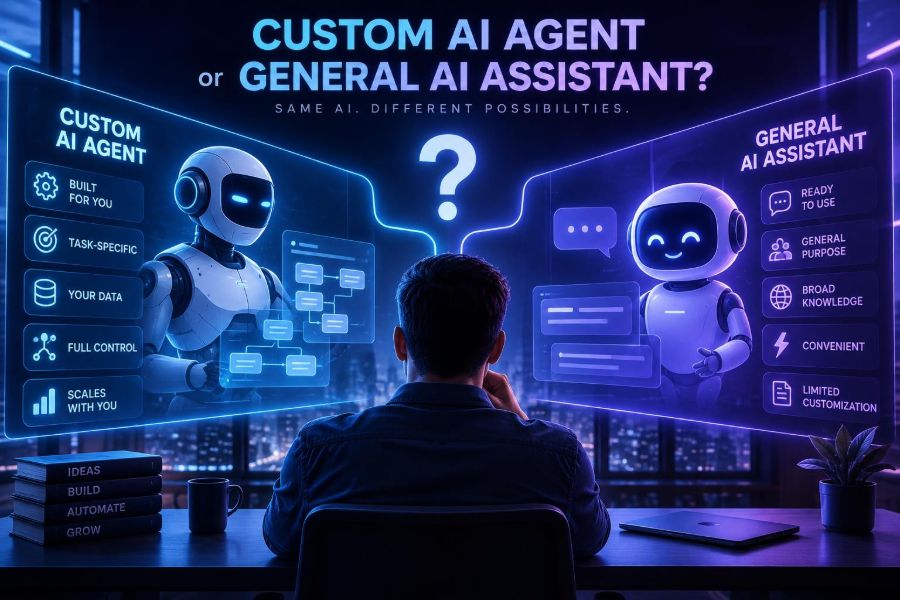

AI assistants can now draft documents, answer questions, analyze files, write code, and brainstorm on demand. For many people, that broad capability is already enough. But as teams move from occasional prompting to repeatable work, a more specific question appears: should you build an AI agent that understands your process and can take action in your tools?
The distinction matters because a general assistant is optimized for flexibility, while a custom agent is optimized for a defined outcome. One can be your thinking partner; the other can become part of an operating workflow. Choosing incorrectly can mean either paying for unnecessary engineering or forcing important work through unreliable copy-and-paste steps.
Agent technology is also easier to access than it used to be. Models can call tools, retrieve company knowledge, produce structured data, and hand work back to people for approval. Yet these building blocks do not eliminate the need for good process design, evaluation, security, and ownership.
By the end of this article, you will be able to decide whether a custom agent is justified, define a safe first use case, prototype its workflow, evaluate it against a general assistant, and recognize the moment when automation should stop and a human should decide.
🧭 1. Start With the Real Difference
A general AI assistant is a broad conversational interface. You provide context each time, ask for help, inspect the result, and decide what happens next. It is excellent for exploration, drafting, learning, analysis, and tasks that vary from day to day.
A custom AI agent is a purpose-built system that uses an AI model within a workflow. It receives a defined task, applies instructions and rules, accesses approved knowledge or tools, produces an expected format, and may take limited actions.
| Dimension | General assistant | Custom agent |
|---|---|---|
| Primary value | Flexible help and reasoning | Repeatable execution |
| Context | Supplied per conversation | Connected to curated data and workflow state |
| Actions | Usually suggested or manually performed | Can call approved tools with controls |
| Best for | Changing, ambiguous work | High-frequency, bounded tasks |
| Main risk | Inconsistent prompting and lost context | Automation errors at scale |
| Upfront cost | Low | Design, integration, testing, maintenance |
An agent does not need to be autonomous. In fact, the most valuable early agents often prepare work, recommend an action, and wait for a person to approve it.
🎯 2. Use the Repetition-and-Impact Test
Do not build an agent because the idea feels futuristic. Build one when a task is both repeated enough to justify setup and important enough that better execution creates real value.
Score a candidate workflow from 1 to 5 on the following factors:
- Frequency: How often does it happen?
- Time burden: How much human effort does each run consume?
- Variation: Is there a recognizable process despite different inputs?
- Data access: Can the necessary information be safely retrieved?
- Error tolerance: Can mistakes be caught before harm occurs?
- Outcome clarity: Can you describe a good output objectively?
High-frequency work with clear inputs, clear outputs, and a review point is an especially strong candidate. Examples include turning support tickets into routed summaries, checking a repository against a release checklist, extracting fields from invoices, or generating a first-pass sales research brief.
🛑 3. Know When a General Assistant Is the Better Choice
A custom agent is not automatically more useful. If the task changes constantly, relies on unspoken judgment, or happens only occasionally, a general assistant often wins.
- Brainstorming a campaign concept or workshop agenda.
- Explaining an unfamiliar technical topic.
- Writing a one-off analysis from a unique collection of materials.
- Helping an individual learn, code, or edit.
- Exploring whether a process is ready to standardize.
Use an assistant first when you are still discovering the workflow. Your repeated prompts, corrections, and preferred output formats become valuable evidence for later agent design.
A common mistake is automating a messy process. If two experienced team members cannot agree on the steps, inputs, or definition of done, an agent will expose that ambiguity rather than solve it.
🧩 4. Identify the Smallest Valuable Job
Phrase the agent’s job as a single operational promise, not an ambition. “Manage customer success” is too broad. “Read new renewal-risk notes, classify risk using our rubric, cite evidence, and create a draft follow-up task” is actionable.
Write a one-sentence job statement:
When a new support ticket arrives, classify its product area and urgency, retrieve relevant approved help content, draft a reply, and send it to an agent for review.Then define what is explicitly out of scope. For this example, the system should not issue refunds, make account changes, invent policy, or send messages without approval.
Small scope makes evaluation possible. It also lets you replace a fragile, impressive-looking “agent” with a dependable workflow that solves a real bottleneck.
🗺️ 5. Map the Workflow Before You Choose a Model
Draw the process as inputs, decisions, tools, outputs, and owners. This reveals whether you need AI at all, and where deterministic software is safer.
- List the event that starts the work.
- List every input the worker checks.
- Mark decisions that require interpretation.
- Mark actions that change records, send messages, or spend money.
- Specify the final output and the person accountable for it.
Trigger: New ticket is created
Inputs: Ticket text, account tier, product documentation
AI tasks: Classify issue, summarize, draft response
Tool actions: Search knowledge base, create internal tag
Human gate: Approve any customer-facing reply
Output: Reviewed reply plus accurate routing metadata
Use rules for stable decisions such as assigning a team based on a known product code. Use an AI model for unstructured language, ambiguity, summarization, extraction, and drafting.
📚 6. Separate Knowledge Retrieval From Model Memory
Models can produce fluent answers without having your current policies, product details, or customer history. Giving an agent access to relevant, curated knowledge is usually more important than choosing a more capable model.
A common pattern is retrieval-augmented generation: the system searches approved documents, selects relevant passages, gives them to the model, and asks it to answer only from that evidence.
- Store source documents with titles, owners, dates, and access permissions.
- Break long content into meaningful sections rather than arbitrary fragments.
- Retrieve a small set of relevant passages for each task.
- Require the agent to cite the supplied source titles or state that evidence is missing.
- Review and remove outdated content regularly.
Do not call a document collection “memory” if it has no governance. Unreviewed knowledge bases can make an agent confidently repeat obsolete procedures.
🔧 7. Treat Tools as Narrow, Typed Capabilities
An agent becomes useful when it can interact with software, but every tool expands risk. Give it narrow operations rather than broad system access.
For example, prefer create_draft_task over unrestricted access to a project-management API. Prefer get_order_status over a database query interface that can expose every customer record.
{
  "name": "create_draft_task",
  "description": "Creates an internal draft task for a human reviewer.",
  "parameters": {
    "type": "object",
    "properties": {
      "title": {"type": "string"},
      "summary": {"type": "string"},
      "priority": {"type": "string", "enum": ["low", "medium", "high"]}
    },
    "required": ["title", "summary", "priority"]
  }
}
Validate every tool call in code. The model may suggest arguments; your application must enforce permissions, allowed values, rate limits, and business rules.
🧱 8. Build a Workflow, Not a Free-Roaming Loop
“Autonomous agent” can suggest that a model should continually decide what to do next. That approach may be appropriate for tightly sandboxed research or engineering tasks, but it is often unnecessarily difficult for business workflows.
Start with a predictable sequence: receive input, retrieve context, reason, validate a structured output, call a limited tool, and request review. Branch only when you can explain and test each branch.
ticket = receive_ticket()
context = retrieve_approved_articles(ticket.text)
draft = model_generate(ticket, context)
validated = validate_schema(draft)
create_draft_task(validated)
notify_human_reviewer(validated)
This is still an AI agent if the model interprets the task and chooses among bounded actions. Reliability comes from the surrounding system, not from asking the model to “be careful.”
📝 9. Give the Agent a Concrete Operating Prompt
A strong system prompt defines role, objective, permitted evidence, output format, and escalation behavior. It should be short enough to maintain, but specific enough to prevent improvisation where rules matter.
You are a support triage assistant.

Goal: classify incoming tickets and prepare a draft for a human reviewer.
Use only the ticket, account metadata, and retrieved help-center excerpts.
Do not promise refunds, timelines, or product features.
If evidence is missing or the issue involves security, billing, or legal claims, set needs_human_review to true.
Return valid JSON with: category, urgency, summary, evidence, draft_reply, needs_human_review.
Ask for structured output whenever another system consumes the result. Prose is convenient for people; schemas are safer for software.
Do not bury essential policy in a vague prompt. Put critical restrictions in tool permissions and application logic as well.
🧪 10. Create an Evaluation Set Before Launching
If you cannot test whether the agent works, you cannot responsibly automate it. Build a representative set of real or carefully de-identified examples, including obvious cases, ambiguous cases, malformed input, and known edge cases.
For each example, record an expected result or a scoring rubric. Then compare the agent with the current human workflow and with a general assistant using the same source materials.
| Measure | Question to ask | Example check |
|---|---|---|
| Accuracy | Is the core decision correct? | Correct issue category |
| Grounding | Does it use supported evidence? | No unsupported policy claims |
| Format | Can downstream systems use it? | Valid required fields |
| Safety | Does it escalate risky cases? | Flags account compromise |
| Efficiency | Does it reduce total effort? | Reviewer edits are minimal |
Test prompt-injection attempts too. Put text in a ticket or retrieved document that says to ignore instructions, reveal secrets, or take an unrelated action. The agent should treat untrusted content as data, not authority.
👀 11. Put Humans at the Right Approval Points
Human review is not proof that an agent failed. It is a design choice that matches the consequences of an error to the level of automation.
- Low risk: auto-labeling, internal summaries, duplicate detection.
- Moderate risk: draft replies, draft tasks, recommendations, with approval.
- High risk: financial changes, hiring decisions, health advice, legal outcomes, account deletion, or external commitments should have strict human control.
Make the review screen useful. Show the input, sources, proposed action, confidence signals if available, and a simple way to edit, reject, or escalate. Capture the reviewer’s correction so the team can improve prompts, rules, and knowledge.
🔒 12. Design for Privacy, Security, and Responsible Use
Custom agents often touch more sensitive data than a casual chat session. Apply the principle of least privilege: the agent should receive only the data and permissions needed for its defined job.
- Classify data before connecting sources.
- Use role-based access and keep secrets outside prompts.
- Redact unnecessary personal or confidential fields.
- Log tool calls, approvals, failures, and source usage without logging more sensitive content than necessary.
- Set retention and deletion policies for inputs and outputs.
- Review vendor data-handling terms and current configuration options through official documentation.
Also consider fairness and contestability. If an agent ranks people, recommends eligibility, or influences access to opportunity, use specialized review, document decision criteria, and provide a meaningful path for human appeal.
💰 13. Calculate Total Cost, Not Just Model Usage
A general assistant may look expensive per seat, while a custom agent may look inexpensive per request. Neither comparison is complete.
Include process discovery, design, integration, data preparation, evaluation, security review, monitoring, incident response, model usage, tool usage, maintenance, and reviewer time. The agent must reduce enough work, error, delay, or missed opportunity to cover all of it.
monthly_value = hours_saved × loaded_hourly_cost
                 + errors_avoided × average_error_cost
                 + faster_response_value
monthly_cost = model_and_tool_cost + maintenance + review_time
net_value = monthly_value - monthly_cost
Estimate with ranges rather than false precision. The most important number is often not raw time saved; it is whether quality stays high as volume increases.
📈 14. Measure the Workflow After It Goes Live
Launching is the beginning of operations, not the end of development. Monitor both technical behavior and business outcomes.
- Completion rate and tool-call failure rate.
- Schema validation failures.
- Human approval, edit, rejection, and escalation rates.
- Grounding errors and policy violations.
- Latency from trigger to usable output.
- Cost per completed task.
- User satisfaction and downstream resolution quality.
A high approval rate alone is not enough. Reviewers may rubber-stamp output under time pressure. Periodically audit samples independently and compare results with a human baseline.
🧠 15. Choose a Build Path That Matches Your Maturity
You do not need to build every component from scratch. The right path depends on the sensitivity of the workflow, required integrations, internal engineering capacity, and need for control.
| Path | What it does | Best fit |
|---|---|---|
| Prompt template | Reusable instructions and manual copy/paste | Personal or early team experimentation |
| Automation workflow | Connects triggers, models, and apps with configured steps | Simple, low-risk operational tasks |
| Internal agent app | Custom interface, retrieval, tools, approval flow, and logs | Important workflows needing control |
| Production platform service | Integrated, monitored agent capabilities across systems | High volume or mission-critical operations |
Start at the lowest-complexity level that lets you test the hypothesis safely. Move upward only when evidence shows that the workflow deserves the investment.
🧰 16. Use a Minimal Technical Architecture
For developers, a practical first architecture has six parts: a trigger, an orchestrator, a knowledge retriever, a model call, a tool layer, and an audit store. Keep business rules outside the model where possible.
function handleRequest(input, user) {
  authorize(user, "triage_ticket");
  const cleanInput = redactUnneededFields(input);
  const sources = retrieve(cleanInput, user.permissions);
  const result = generateStructuredOutput(cleanInput, sources);
  validate(result, triageSchema);
  enforcePolicy(result);
  saveAuditRecord({ input: cleanInput, sources, result });
  return createDraftForReview(result);
}
Separate components so that you can replace the model, change retrieval, tighten a tool permission, or update a policy without rewriting the whole workflow. This also makes failures easier to diagnose.
⚠️ 17. Avoid the Most Common Agent Mistakes
- Over-automation: letting the agent send, delete, purchase, or decide before it has earned trust.
- Undefined success: declaring a demo successful without a measurable baseline.
- Unlimited tools: exposing broad APIs because it is convenient.
- Trusting confidence: fluent language is not evidence of correctness.
- Ignoring bad inputs: only testing clean, cooperative examples.
- Stale knowledge: connecting documents without ownership or refresh processes.
- Missing fallback: having no path when retrieval, tools, or the model fails.
Another frequent mistake is assuming a larger model fixes a workflow problem. Better source selection, output constraints, validation, and human review often improve results more than changing the model alone.
🚀 18. Run a Two-Week Pilot Before You Commit
Choose one team, one narrow task, and a reversible output. For the first phase, run the agent in shadow mode: it creates a result, but a human completes the normal process independently.
- Collect 20 to 50 representative examples, subject to your privacy requirements.
- Write the job statement, boundaries, and output schema.
- Build retrieval and one or two narrowly scoped tools.
- Test against the evaluation set and document failures.
- Run in shadow mode and compare with human outcomes.
- Enable human-reviewed drafts for a limited group.
- Measure edits, errors, cycle time, cost, and user feedback.
- Decide whether to improve, expand, pause, or retire the agent.
Retiring a pilot is a good outcome if it proves the job is too variable, too low-volume, or too risky. That decision can save far more than a successful prototype earns.
✅ 19. Quick-Start Checklist
- Choose a repeated task with a clear business outcome.
- Use a general assistant first if the workflow is still unclear.
- Write a one-sentence agent job and explicit out-of-scope actions.
- Map inputs, decisions, tools, outputs, and human owners.
- Connect only curated, permission-aware knowledge sources.
- Use structured outputs and validate them in code.
- Give the agent narrow tools with least-privilege access.
- Build an evaluation set that includes edge cases and hostile inputs.
- Require human approval for consequential actions.
- Track quality, reviewer edits, cost, latency, and failures.
- Start with a reversible pilot and expand only on evidence.
A custom AI agent is worth building when it turns a stable, high-value workflow into a safer and measurably better system—not when it merely makes a general assistant look more autonomous. 🤖🛠️📊