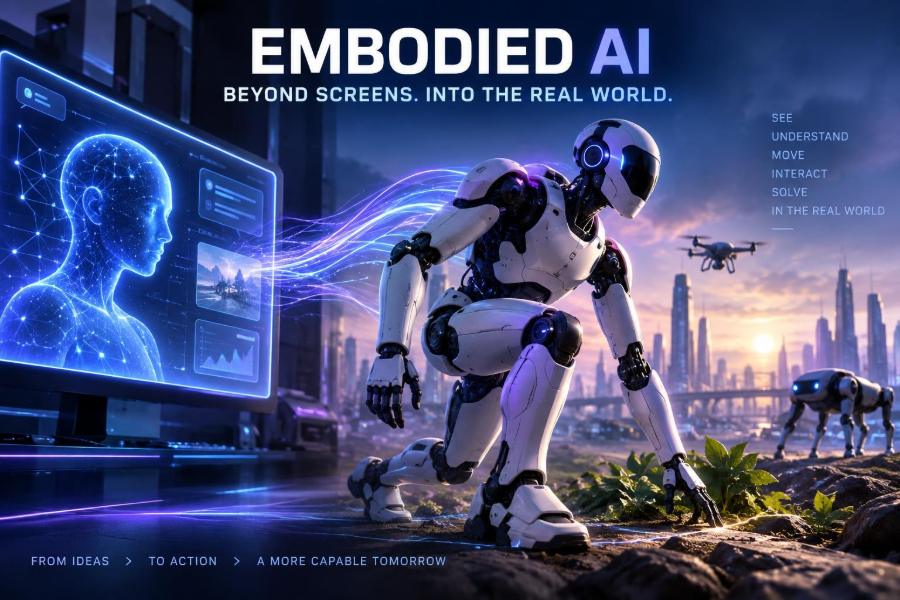

For years, the most visible form of artificial intelligence has lived behind glass: a chatbot, a search box, an image generator, or a dashboard. That is changing. AI is increasingly being connected to cameras, microphones, robot arms, wheels, sensors, and machines that can perceive and act in the real world.
This matters now because language models, computer vision, simulation, cheaper sensing, and improved robotics are beginning to converge. The result is often called embodied AI: intelligence that learns from, reasons about, and acts through a physical body.
Embodied AI will not simply mean humanoid robots in every home. It includes warehouse machines, inspection drones, assistive devices, autonomous lab equipment, farm robots, and software agents that understand physical spaces well enough to guide people safely.
After reading, you will be able to distinguish embodied AI from ordinary automation, identify realistic use cases, design a small prototype, choose a practical technical stack, write better robot-task prompts, and evaluate safety before your system touches the world.
🤖 1. What embodied AI actually means
Embodied AI is an AI system connected to a body that can sense, decide, and act in an environment. The body may be a mobile robot, robotic arm, drone, vehicle, smart appliance, wearable device, or even a simulated character before it is deployed physically.
A text model receives words and returns words. An embodied system closes a loop: a camera sees an object, the system identifies a goal, a planner chooses an action, motors move, sensors report what happened, and the system adjusts.
- Perception: interpreting camera images, depth data, touch, sound, location, and force.
- Reasoning and planning: converting goals into safe, ordered actions.
- Control: sending precise commands to motors or other actuators.
- Feedback: detecting success, failure, contact, drift, or a changed environment.
🧩 2. Embodied AI is not the same as automation
Traditional automation excels when the world is predictable. A factory machine may repeat the same motion thousands of times because parts arrive in a fixed orientation at a fixed location.
Embodied AI becomes useful when conditions vary. A robot may need to identify unfamiliar packaging, navigate around a person, understand a spoken exception, or recover when an object slips.
| Capability | Conventional automation | Embodied AI |
|---|---|---|
| Environment | Structured and controlled | Variable or partly unknown |
| Instructions | Fixed rules and motions | Goals, demonstrations, policies, and rules |
| Adaptation | Limited, manually programmed | Can use perception and feedback to adapt |
| Best fit | Repeatable high-volume tasks | Tasks with meaningful variation |
| Main risk | Breaks outside expected conditions | Can make plausible but unsafe decisions |
The strongest deployments often combine both. Use deterministic controls and hard safety rules for critical motions, then use AI where perception, language, or task variation makes fixed logic brittle.
🌍 3. Why this shift is happening now
No single breakthrough explains the momentum. Instead, several technologies are becoming useful together.
- Multimodal models can work across text, images, audio, and sometimes video.
- Better vision systems recognize objects, estimate poses, segment scenes, and track motion.
- Simulation makes it possible to generate many training situations without breaking real hardware.
- More capable robot platforms provide standard interfaces for cameras, arms, grippers, wheels, and safety systems.
- Cloud and edge computing offer a choice between powerful remote inference and fast local responses.
Progress is real, but it is uneven. A model that describes a kitchen perfectly may still fail at opening a sticky drawer, where friction, force, viewpoint, and object geometry all matter.
👁️ 4. The perception layer: turning signals into a scene
A robot does not see the world as a person does. It receives streams of pixels, depth points, inertial readings, joint positions, and possibly tactile signals. Perception software turns those measurements into useful representations.
For a pick-and-place task, the system may need to answer: What objects are present? Which is the requested one? Where is it in 3D? Is it reachable? Is a human hand too close?
Start narrowly. Instead of asking a prototype to understand every object in an office, define a small set of items, surfaces, lighting conditions, and safety zones. This creates data you can inspect and improve.
Practical perception checklist
- Mount cameras where hands, grippers, and people will not constantly block the view.
- Calibrate camera-to-robot coordinates; a good detector is useless if its 3D location is wrong.
- Record difficult cases: glare, shadows, occlusion, motion blur, reflective surfaces, and clutter.
- Set confidence thresholds, but do not treat confidence as a safety guarantee.
- Give the system an explicit “unknown” outcome rather than forcing a guess.
🧠 5. Language models are planners, not motor controllers
A language model can help turn a high-level request into a plan: “sort these returns,” “inspect the valve,” or “bring the blue bin to station two.” It is usually a poor choice for generating raw motor commands at high frequency.
Physical systems need stable, low-latency control loops. Let specialized controllers manage joint positions, speed limits, collision avoidance, and force. Let the higher-level AI select approved skills and explain its choices.
Goal: place the red mug on the drying rack

1. Observe workspace and locate the red mug.
2. Confirm the rack has an empty, stable slot.
3. Select approved skill: grasp_cup_by_handle.
4. Move at reduced speed through the safe approach zone.
5. Verify grasp using gripper and visual feedback.
6. Place gently, release, then verify the mug remains upright.
7. If any check fails, stop and request assistance.
This separation is a powerful design pattern: AI chooses; validated skills execute.
🦾 6. Skills are the building blocks of useful robots
A robot skill is a tested, reusable capability such as navigating to a marker, opening a gripper, grasping a box, scanning a barcode, or returning to a charging station. Skills expose clear inputs, limits, and success criteria.
Rather than training one enormous system to solve everything end to end, teams often compose reliable skills into workflows. This makes behavior easier to test, monitor, and improve.
skill pick_item(target_pose):
    require workspace_is_clear()
    require target_pose.confidence > 0.90
    move_to_pregrasp(target_pose)
    close_gripper_with_force_limit()
    if not object_detected_in_gripper():
        return FAIL
    lift_slowly()
    return SUCCESS
Keep skill contracts explicit. State what the skill needs, what it may change, how it reports failure, and which safety controller can interrupt it.
🗺️ 7. Mapping, localization, and spatial memory
Mobile embodied AI needs a usable answer to “Where am I?” and “What is around me?” Mapping builds a representation of a space; localization estimates the robot’s position within it.
A simple map may contain walls, routes, docking points, and restricted zones. A richer semantic map can label doors, shelves, workstations, charging areas, and locations where people frequently appear.
- Use a stable coordinate frame for every sensor and actuator.
- Mark no-go zones in software and enforce them independently in safety hardware where possible.
- Plan for map drift after furniture moves, doors close, or lighting changes.
- Version maps and configuration files so a rollback is possible after a bad update.
🎮 8. Simulation is the safest first environment
Simulation lets developers test perception, navigation, manipulation, and failure handling without damaging equipment or endangering people. It is especially valuable when collecting physical data is slow or expensive.
Build a digital scene with approximate geometry, sensor positions, robot limits, objects, and obstacles. Then deliberately vary conditions: light direction, object locations, textures, friction assumptions, sensor noise, and moving people.
A useful simulation workflow
- Model the task, not the whole world. Begin with one room or workcell.
- Define measurable success: correct item placed, no collision, task completed within a safe duration.
- Generate randomized scenarios, including awkward edge cases.
- Replay failures with recorded inputs and controller outputs.
- Test on real hardware at low speed, in a bounded area, with supervision.
The common mistake is assuming simulated success transfers directly to reality. This sim-to-real gap appears through imperfect friction, sensor noise, calibration errors, wear, latency, and human behavior.
📚 9. How robots learn: four practical routes
Different tasks call for different learning methods. The right question is not “Which method is most advanced?” but “What evidence can we safely collect, and what level of reliability is required?”
| Approach | What it learns from | Good use | Watch for |
|---|---|---|---|
| Programming | Rules and geometry | Known, precise motions | Brittleness in changing scenes |
| Imitation learning | Human demonstrations | Manipulation workflows | Narrow coverage of edge cases |
| Reinforcement learning | Rewards through trials | Policies in simulation | Unsafe or costly real-world exploration |
| Vision-language planning | Images, text, prior knowledge | Goal interpretation and task sequencing | Hallucinated assumptions |
In practice, hybrid systems win. A team may use demonstrations to learn a grasp, classical control to execute it, vision to verify it, and language reasoning to decide which approved task comes next.
🧪 10. Design a first embodied AI prototype
Choose a task that is repetitive enough to measure but variable enough to benefit from AI. Good first projects include sorting a few known objects, checking whether a workstation is clear, navigating a mapped route, or reading labels and reporting exceptions.
- Write a one-sentence goal: “Move identified sample containers from tray A to tray B.”
- List what can vary: orientation, lighting, object count, obstruction, label damage.
- Define safe boundaries: speed, workspace, force, proximity to people, stop conditions.
- Choose the smallest viable body: camera-only assistant, arm, wheeled base, or simulator.
- Create an event log for every observation, plan, action, and outcome.
- Run supervised trials and classify every failure before adding complexity.
Do not start with “a general household robot.” Start with a task whose success can be observed and counted.
💬 11. Write task prompts that make physical actions safer
If a language-capable model participates in planning, give it a constrained role. Tell it what tools exist, which facts must be verified, what actions are forbidden, and how to report uncertainty.
You are a task planner for a supervised sorting cell.

Goal: place only sealed blue cartons into bin B.
Available skills: inspect, move_to_pose, grasp_carton, place_in_bin, ask_human, stop.
Rules:
- Never move if a person is inside the marked work zone.
- Never grasp an item unless color and sealed status are visually confirmed.
- Use only one skill at a time.
- If confidence is below the stated threshold, call ask_human.
- Return a numbered plan with a verification after each physical action.

Current observations: [insert structured sensor summary]
Feed structured observations where possible, rather than an uncontrolled camera stream alone. Include object IDs, positions, confidence, robot state, current zone status, and allowed actions.
🛑 12. Build safety into the architecture, not the prompt
A prompt can encourage caution; it cannot guarantee it. Safety-critical restrictions should be enforced below the AI planner by motion limits, emergency stops, collision detection, physical guards, access controls, and independent monitoring.
- Fail safe: on lost connectivity, uncertain localization, or sensor failure, slow down or stop.
- Least authority: give the planner only the tools and workspace it needs.
- Rate limits: cap speed, acceleration, force, and repeated command attempts.
- Human override: ensure an operator can stop, reset, and take over quickly.
- Progressive rollout: test offline, then supervised, then constrained production use.
Never let a generative model directly bypass a safety interlock. A robot should remain safe when the model is wrong, unavailable, manipulated, or compromised.
🔐 13. Privacy and security matter in physical spaces
Embodied AI often collects the most sensitive kind of data: video and audio of homes, workplaces, health settings, streets, or factories. Sensor data can reveal routines, layouts, identities, conversations, and proprietary processes.
Collect only what the task needs. Define retention periods, restrict access, encrypt data in transit and at rest, and separate identifiable recordings from operational metrics whenever feasible.
- Post clear notices where sensing occurs and obtain consent when required.
- Use local processing for sensitive tasks when it is practical.
- Redact, blur, or discard bystanders and irrelevant footage.
- Authenticate every device, rotate credentials, and audit remote-control access.
- Test for prompt injection or malicious visual instructions that could alter plans.
Regulations differ by location and industry. For deployments in public, medical, employment, or safety-sensitive settings, involve legal, privacy, security, and domain experts early.
📏 14. Measure more than task success
A demo can look impressive while hiding unacceptable failure modes. Measure behavior under normal conditions and deliberately difficult ones.
Useful metrics include task completion rate, wrong-object rate, intervention rate, near-collision count, recovery success, time to safe stop, perception confidence distribution, and performance after environmental changes.
trial_id, scenario, task_success, wrong_item, human_intervention,
near_collision, safe_stop_time_ms, recovery_result, notes
042, glare_plus_clutter, false, false, true, false, 180, stopped, "target occluded"
Review recordings and logs after every incident. A failure taxonomy is more useful than a single average score because it tells you whether to fix perception, planning, control, interfaces, or the physical environment.
🏭 15. Where embodied AI delivers value first
The earliest wins are usually in environments with bounded tasks, a clear economic case, and room to manage risk. They may not look like science fiction, but they solve real operational problems.
- Warehouses: moving goods, sorting, inventory scanning, and exception handling.
- Manufacturing: visual inspection, machine tending, material handling, and quality checks.
- Laboratories: repetitive preparation, sample movement, imaging, and protocol documentation.
- Agriculture: crop monitoring, targeted treatment, harvesting assistance, and field mapping.
- Facilities: inspection, cleaning support, indoor delivery, and anomaly reporting.
- Accessibility: assistive interfaces and devices that help people interact with their environments.
The best candidate is not necessarily the task with the most labor. It is the task where reliability, workflow integration, safety, and maintenance can all be made practical.
🧱 16. Common mistakes and better alternatives
- Mistake: chasing humanoid form first. Use the simplest body that can perform the task, such as a fixed camera or arm.
- Mistake: treating a language model as ground truth. Require sensor-based verification before physical actions.
- Mistake: training only on clean data. Include clutter, failures, unusual objects, and bad lighting.
- Mistake: optimizing for a polished demo. Optimize for recoveries, stop behavior, and operator experience.
- Mistake: ignoring maintenance. Plan for cleaning sensors, recalibration, charging, replacement parts, and software updates.
- Mistake: adding AI where a fixture solves the problem. Sometimes better lighting, standardized bins, or a guide rail is the highest-return improvement.
🧑💻 17. A developer-friendly reference architecture
A practical system separates responsibilities. This makes components replaceable and limits the effect of a model error.
Sensors -> perception service -> world model
                                 |            |
                                 v            v
Operator UI <- event log <- task planner -> skill selector
                                                 |
                                                 v
Emergency stop <- safety supervisor <- robot controller -> motors
The world model stores current facts: object locations, confidence, occupied zones, robot pose, task state, and recent observations. The planner reads this state and requests skills; it should not command motors directly.
Use message timestamps, correlation IDs, and replayable logs. Physical debugging is difficult, and a complete trace often turns a mysterious failure into a fixable timing, calibration, or state-management issue.
🔭 18. What to watch next
The important trend is not a single robot or model. Watch for systems that better connect broad visual and language understanding with reliable actions, tactile feedback, simulation-trained policies, and robust recovery behavior.
Also watch deployment discipline. The organizations that succeed will often be those that redesign workflows, capture quality data, define clear ownership, and earn worker trust—not those that merely attach a chatbot to a robot.
Technical capabilities and product details change quickly, so check official documentation, safety guidance, and current platform specifications before making purchasing or architecture decisions.
✅ 19. Quick-start checklist
- Pick one bounded, measurable physical task.
- Describe the environment, variations, and unacceptable outcomes.
- Start in simulation or with a camera-only proof of concept.
- Separate high-level planning from low-level control.
- Create small, tested skills with explicit success and failure states.
- Enforce safety with independent hardware and software controls.
- Log observations, decisions, actions, and interventions.
- Test ugly real-world conditions before expanding scope.
- Minimize sensor data collection and secure device access.
- Roll out slowly with trained humans able to stop the system.
Embodied AI becomes transformative not when machines merely move, but when they can act usefully, verifiably, and safely in the messy physical world. Start with a narrow task, build trustworthy feedback loops, and let reliability—not spectacle—set the pace. 🧠🤖🌍