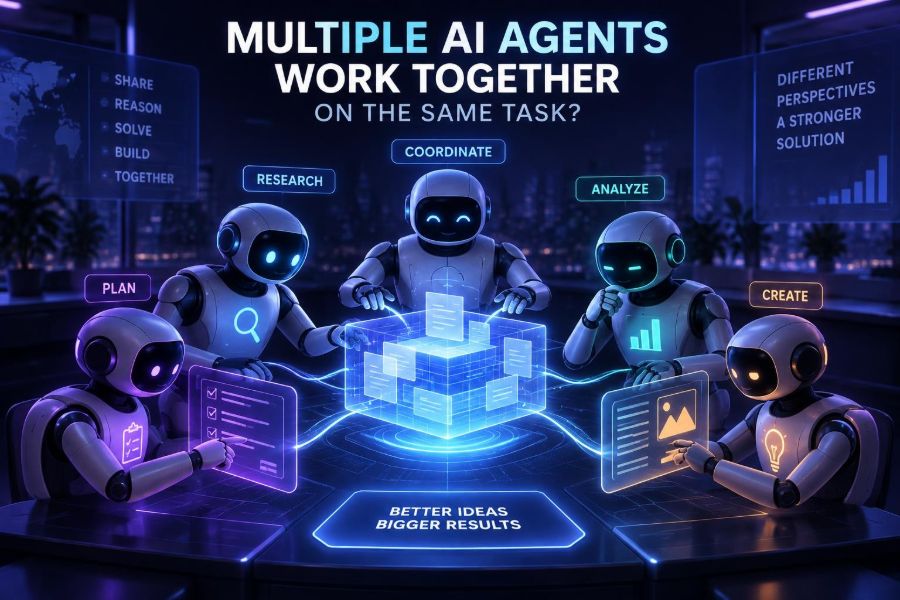

One AI assistant can draft an email, explain code, or summarize a report. But many real-world tasks are too broad, uncertain, or consequential for a single pass from a single model. They need research, planning, execution, checking, and a clear final decision.
That is why multi-agent AI has become such an important idea. Instead of asking one model to do everything, you assign several AI agents focused roles and give them a way to exchange work. One agent may investigate, another may write, a third may test claims, and a coordinator may decide what happens next.
This does not create a tiny organization of magically reliable digital employees. It creates a workflow with new capabilities and new failure modes. Agents can reinforce errors, waste tokens in circular conversations, or take unsafe actions unless people design the system carefully.
After reading, you will be able to recognize useful multi-agent patterns, choose when they are worth the complexity, design role prompts and handoffs, build a small developer prototype, and add practical guardrails before agents touch real tools or data.
🧩 1. Start With the Core Idea: Division of Cognitive Labor
An AI agent is a model-driven system that can pursue a goal over multiple steps. It commonly has instructions, access to information or tools, a memory or state store, and rules for deciding when it is finished.
A multi-agent system uses two or more agents with distinct responsibilities. The goal is not simply to generate more text. It is to split work so that each step has a clearer purpose, output, and standard of success.
Think of a product launch brief. A research agent gathers evidence, a strategist identifies positioning, a writer creates the draft, and a reviewer looks for unsupported claims. The final result can be better because no single prompt must hold every responsibility at once.
🧠 2. Know the Difference Between Agents, Workflows, and Teams
These terms are often used interchangeably, but separating them makes design much easier.
| Approach | What it does | Best fit | Main risk |
|---|---|---|---|
| Single prompt | One model produces one response | Simple, low-risk tasks | Little checking or iteration |
| Workflow | Fixed steps pass outputs forward | Repeatable processes | Rigid when exceptions appear |
| Single agent with tools | One agent chooses actions over time | Bounded exploration | Unpredictable tool use |
| Multi-agent team | Specialists coordinate around a goal | Complex, separable work | Coordination cost and confusion |
A workflow can contain agents, and an agent can follow a workflow. The useful question is: does the task benefit from independent roles or decision-making? If not, a well-designed single prompt is usually faster and cheaper.
🎯 3. Choose Tasks That Actually Need Multiple Agents
Multi-agent systems are strongest when work can be decomposed, checked from multiple angles, or completed through tools. They are not automatically better for creative writing, quick explanations, or narrowly defined transformations.
- Research synthesis: collect sources, extract claims, compare contradictions, and draft findings.
- Software work: inspect a codebase, propose changes, write tests, run checks, and review a patch.
- Operations triage: classify an issue, retrieve runbooks, suggest a response, and request approval.
- Data analysis: profile data, select methods, calculate results, and validate assumptions.
- Content production: create a brief, draft assets, check brand constraints, and prepare a review package.
Use a single model when the work is short, inputs are complete, and the cost of a mistake is small. Adding agents to a simple task can make quality worse by adding inconsistent interpretation.
🏗️ 4. Pick an Architecture Before You Write Prompts
Most multi-agent designs fit a few recognizable patterns. Start with the simplest pattern that can safely complete the job.
- Pipeline: each agent completes a stage, such as researcher to writer to editor.
- Manager-worker: a coordinator delegates tasks, receives results, and chooses the next action.
- Debate or critique: agents independently propose answers, then challenge and revise them.
- Blackboard: agents write structured observations to a shared workspace.
- Swarm: agents dynamically hand off tasks based on expertise or conditions.
A pipeline is easiest to evaluate because handoffs are explicit. A manager-worker design is more flexible, but its coordinator must be constrained so it does not delegate endlessly or treat weak outputs as facts.
🗺️ 5. Define the Shared Goal and the Definition of Done
Vague goals lead to vague coordination. Before defining agents, write down the deliverable, constraints, audience, available inputs, approval rules, and stopping condition.
Goal: Produce a five-slide project risk summary for leadership.
Inputs: Project notes, issue tracker export, approved metrics.
Constraints: Do not invent facts. Flag missing data.
Done when: Every risk has evidence, owner, impact, and next action.
Human approval: Required before publishing or notifying anyone.
The phrase definition of done is especially important. Without it, a manager agent may keep requesting refinements, and worker agents may optimize for eloquence rather than usable results.
👥 6. Give Each Agent a Narrow, Useful Role
Good roles are defined by accountable outputs, not theatrical personas. “You are a brilliant expert” adds less value than “return a structured evidence table and list uncertainty.”
For a research-and-writing team, begin with four roles:
- Planner: breaks the objective into tasks and identifies dependencies.
- Researcher: gathers evidence and marks source confidence.
- Producer: turns approved evidence into the requested deliverable.
- Reviewer: checks requirements, factual support, and omissions.
You are the evidence reviewer.
Review only the supplied draft and evidence records.
For every material claim, label it supported, unsupported, or uncertain.
Do not rewrite the draft.
Return JSON-like fields: verdict, issues, required_fixes, confidence.
Roles can overlap in early experiments, but avoid creating many agents with nearly identical mandates. Redundancy is valuable only when it creates an independent check.
📦 7. Design Handoffs as Data Contracts
Agent conversations can look natural in a chat transcript, but natural language alone is a fragile interface. A downstream agent may miss a caveat, reinterpret an instruction, or treat an idea as verified evidence.
Use a consistent handoff format. Include the task, completed work, evidence, assumptions, unresolved questions, and the expected next action.
{
  "task_id": "risk-summary-07",
  "status": "complete_with_gaps",
  "findings": ["Vendor dependency may delay integration"],
  "evidence": ["Issue export: DEP-42, updated 2025-03-01"],
  "assumptions": ["Schedule estimate has not been rebaselined"],
  "open_questions": ["Who owns vendor escalation?"],
  "next_agent": "reviewer"
}
Even if your framework uses ordinary messages, ask agents to emit structured fields. This makes logs searchable, validations possible, and failures easier to diagnose.
🔄 8. Decide What Agents May Share
Shared context helps coordination, but unrestricted memory can spread bad assumptions. Treat context as a product decision rather than an automatic feature.
- Share the goal and constraints with every agent.
- Share approved facts broadly, with provenance where possible.
- Keep private tool credentials and sensitive records isolated.
- Give reviewers access to original evidence, not only summaries.
- Use separate scratchpads when independent opinions are important.
A useful rule is to share conclusions only with their evidence and uncertainty. This reduces the “telephone game” effect where an early guess becomes a confident team belief.
🧰 9. Connect Tools Carefully, Not Optimistically
Agents become much more useful when they can search documents, query databases, run code, create tickets, or call business systems. They also become capable of causing real harm.
Classify tools by consequence. Read-only search is different from sending messages, changing records, spending money, or deploying software.
| Tool class | Recommended control | Example |
|---|---|---|
| Read-only | Scoped access and logging | Search a documentation index |
| Analysis | Sandbox and resource limits | Run a data transformation |
| Write, reversible | Validation and review queue | Create a draft ticket |
| Write, consequential | Explicit human approval | Send an external message |
| Irreversible or high impact | Usually keep human-operated | Delete records or release funds |
Never rely on an agent’s self-assessment that an action is safe. Enforce permissions in the tool layer, where the model cannot bypass them with persuasive text.
🧪 10. Build a Small Coordinator Prototype
You do not need a large platform to learn the pattern. A minimal coordinator can call role-specific functions, preserve a shared state object, and require a final validation step.
def run_team(request):
    plan = planner(request)
    evidence = researcher(plan)
    draft = writer({"request": request, "evidence": evidence})
    review = reviewer({"draft": draft, "evidence": evidence})

    if review["verdict"] == "approved":
        return {"status": "ready", "output": draft}
    return {"status": "needs_revision", "draft": draft, "review": review}
The function names hide important details: model calls, retries, validation, access controls, and observability. But the example shows a key principle: the coordinator owns state transitions, not any one agent’s prose.
As systems grow, teams often use agent orchestration libraries or workflow engines to define state, routing, tools, and traces. Compare current official documentation before choosing one, because capabilities and interfaces change quickly.
🧾 11. Make Agents Produce Verifiable Outputs
“Looks good” is not a robust completion signal. Ask agents for checkable artifacts: citations, test results, extracted fields, a change plan, or a list of requirement IDs addressed.
You are a release reviewer.
Check the proposed change against these requirements: R1, R2, R3.
For each requirement, return PASS, FAIL, or NEEDS_HUMAN_REVIEW.
Include the exact evidence from the change and test output.
If evidence is absent, do not infer compliance.
For coding tasks, combine model review with deterministic checks. Run formatters, linters, unit tests, type checks, security scans, and policy validators where appropriate. An agent should interpret results, not replace them.
🕵️ 12. Add Critique Without Creating Endless Debate
Independent review can catch hallucinations and blind spots. Yet unrestricted debate often creates more text rather than more truth.
Use a bounded loop:
- Generate a candidate result.
- Ask a critic to identify specific issues against a rubric.
- Allow one revision based only on actionable issues.
- Run a final validator and stop.
Set a maximum number of turns, a budget, and an escalation condition. For example, if two revisions still disagree about a factual claim, mark it unresolved for a human instead of asking models to argue indefinitely.
📏 13. Measure the System, Not Just the Final Answer
A polished final response can conceal expensive or unsafe behavior. Evaluate the entire path: which agent acted, what it saw, which tools it used, how long it took, and why it stopped.
- Quality: task accuracy, completeness, and human ratings.
- Reliability: percentage of runs that finish correctly without intervention.
- Efficiency: latency, model usage, tool calls, and retry rate.
- Safety: policy violations, blocked actions, and escalation quality.
- Coordination: duplicate work, stale handoffs, and invalid state transitions.
Create a small evaluation set from real tasks, including edge cases and deliberately ambiguous requests. Test changes against that set before trusting a new prompt, model, tool, or routing rule.
🐛 14. Recognize Common Multi-Agent Failure Modes
Most failures are not mysterious intelligence problems. They are ordinary systems problems made harder by probabilistic outputs.
- Role collapse: every agent gives the same generic answer. Make deliverables and evidence requirements different.
- Premature trust: a writer accepts a researcher’s unverified claim. Preserve provenance and require validation.
- Infinite loops: agents keep handing work back. Add turn limits and explicit terminal states.
- Context overload: too much history degrades focus. Summarize, retrieve selectively, and scope messages.
- Tool thrashing: repeated searches or calls add no value. Cache results and cap retries.
- Prompt injection: untrusted content tries to override instructions. Treat retrieved text as data, never authority.
Log failures as structured events. “The output was bad” is not enough; record the task, route, inputs, tool results, model output, and validation decision.
🔐 15. Build Privacy, Security, and Human Oversight In
More agents can mean more copies of sensitive context. Minimize what each role receives, redact personal or confidential information where possible, and use access controls designed for the underlying data rather than the prompt.
Keep a human in the loop for decisions involving people’s rights, health, employment, legal outcomes, significant financial impact, or external commitments. An agent can prepare analysis and drafts, but accountability must remain clear.
- Use least-privilege credentials for every tool.
- Separate untrusted web or document content from system instructions.
- Record approvals for consequential actions.
- Define retention and deletion practices for traces and prompts.
- Offer a clear escalation path when evidence is incomplete.
Also check your organization’s policies and the terms of any model or tool provider before sending customer, employee, source-code, or regulated data into a system.
🚦 16. Know When to Stop Adding Agents
The best multi-agent design is often smaller than the first diagram suggests. Every new agent adds prompt maintenance, latency, cost, observability needs, and a possible point of failure.
Start with a deterministic workflow and one or two specialized model calls. Add a separate agent only when you can name the decision it improves, the artifact it produces, and the metric that will show whether it helped.
If a role has no unique tool, context, rubric, or accountability, merge it. Clear interfaces beat impressive-looking swarms.
✅ 17. Use This Quick-Start Checklist
- Choose one high-value task with separable stages.
- Write a measurable definition of done and a stopping rule.
- Begin with a pipeline of planner, worker, and reviewer.
- Give each role a narrow output contract.
- Pass evidence, assumptions, and open questions in every handoff.
- Keep tool permissions minimal and require approval for consequential actions.
- Use deterministic validators wherever they exist.
- Log routes, tool calls, outputs, failures, and human decisions.
- Evaluate on real examples before expanding autonomy.
- Remove agents that do not measurably improve results.
Multiple AI agents are most powerful not when they imitate a company, but when they turn a complicated task into a transparent, testable, and safely governed system of work. Build the smallest team that can prove its value, then improve it with evidence. 🤖🧭✨